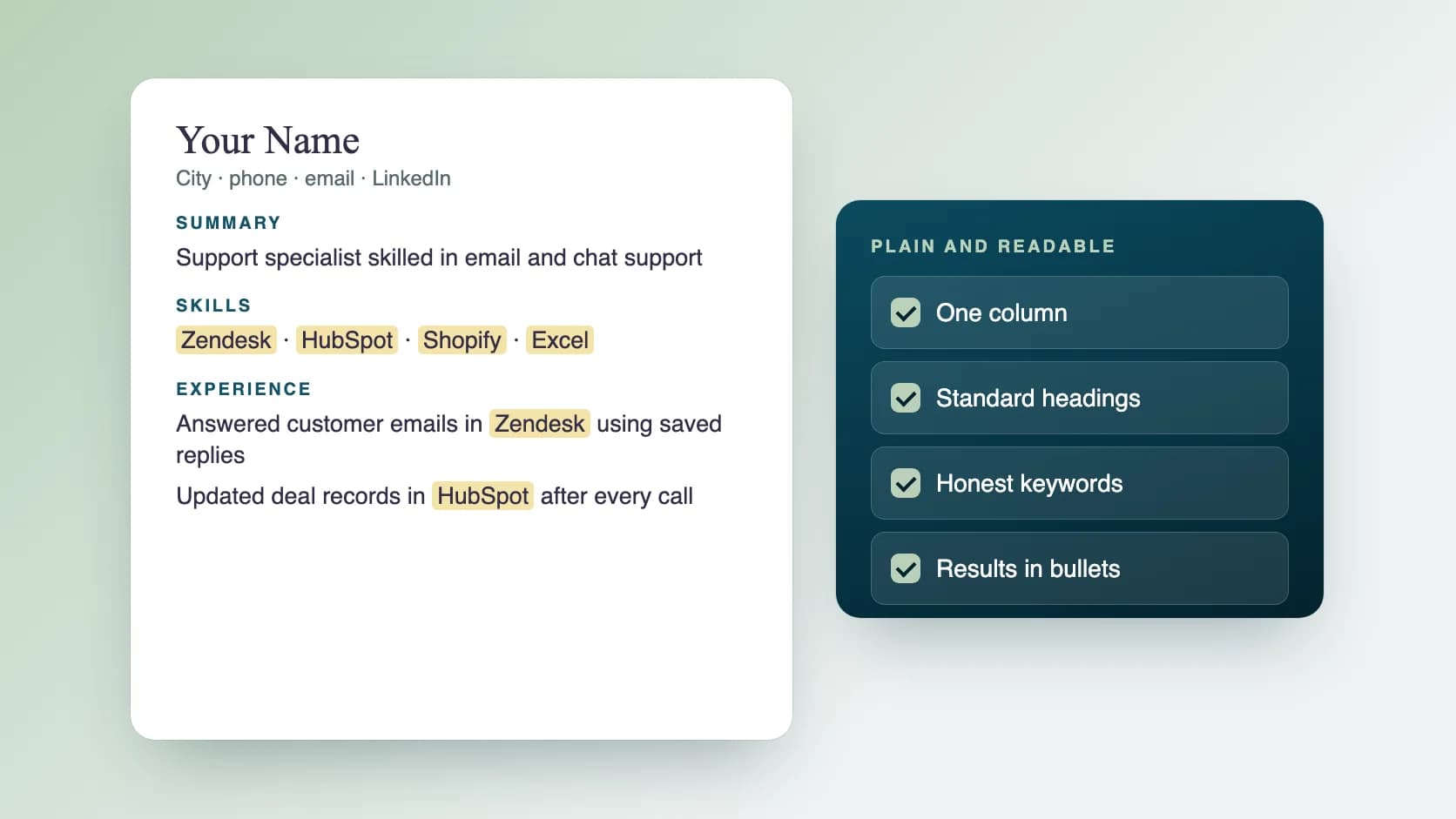
An ATS-friendly resume is a plain, one-column document with standard headings, keywords from the job posting used honestly and bullets that show results. Applicant tracking software can read it, and a recruiter can scan it in seconds. Layout, keyword choice, bullet writing and a final check make the difference.
What is an ATS, and what does it do?
An applicant tracking system (ATS) is software that employers use to collect applications, store resumes and move candidates through stages. Think of it as a database with a workflow on top. It reads your resume into fields such as job titles, dates, skills and education, so recruiters can search and sort.
Because the software has to read your file, a layout it cannot parse can hide your experience. That is why plain structure matters. How an ATS behaves depends on the product and on the settings each employer chooses, so treat everything here as general principles and follow any instructions in the job posting.
Does an ATS reject resumes automatically?
Usually not by judging your wording. Many systems mainly store, sort and filter. Rejection tends to come from rules an employer sets, such as knockout questions on the application form (for example, work authorisation or a required licence), or from a recruiter filtering a very large pile by keywords. The practical risk is being ranked low or never opened, not a robot reading your resume and deleting it.
So write for two readers: software that needs clean structure and matching terms, and a person who wants proof quickly.
Which layout and file format work best?
Keep it simple. Fancy design adds risk and little benefit.
- One column, with sections in a normal top-to-bottom order.
- Standard headings: Summary, Skills, Experience, Education, Certifications.
- A plain, common font at a readable size.
- Real bullets and text, not text boxes, tables, icons or images for important content.
- Contact details in the body of the page, not only in the header or footer.
- Follow the posting's file instructions. If none are given, a standard Word file or a text-based PDF is the usual choice.
- One or two pages, with the most relevant experience first.
How do you choose keywords without stuffing?
Keywords are the skills, tools, job titles and qualifications the posting asks for. Use them where they are true, in the same form the posting uses.
Here is a simple way to do it.
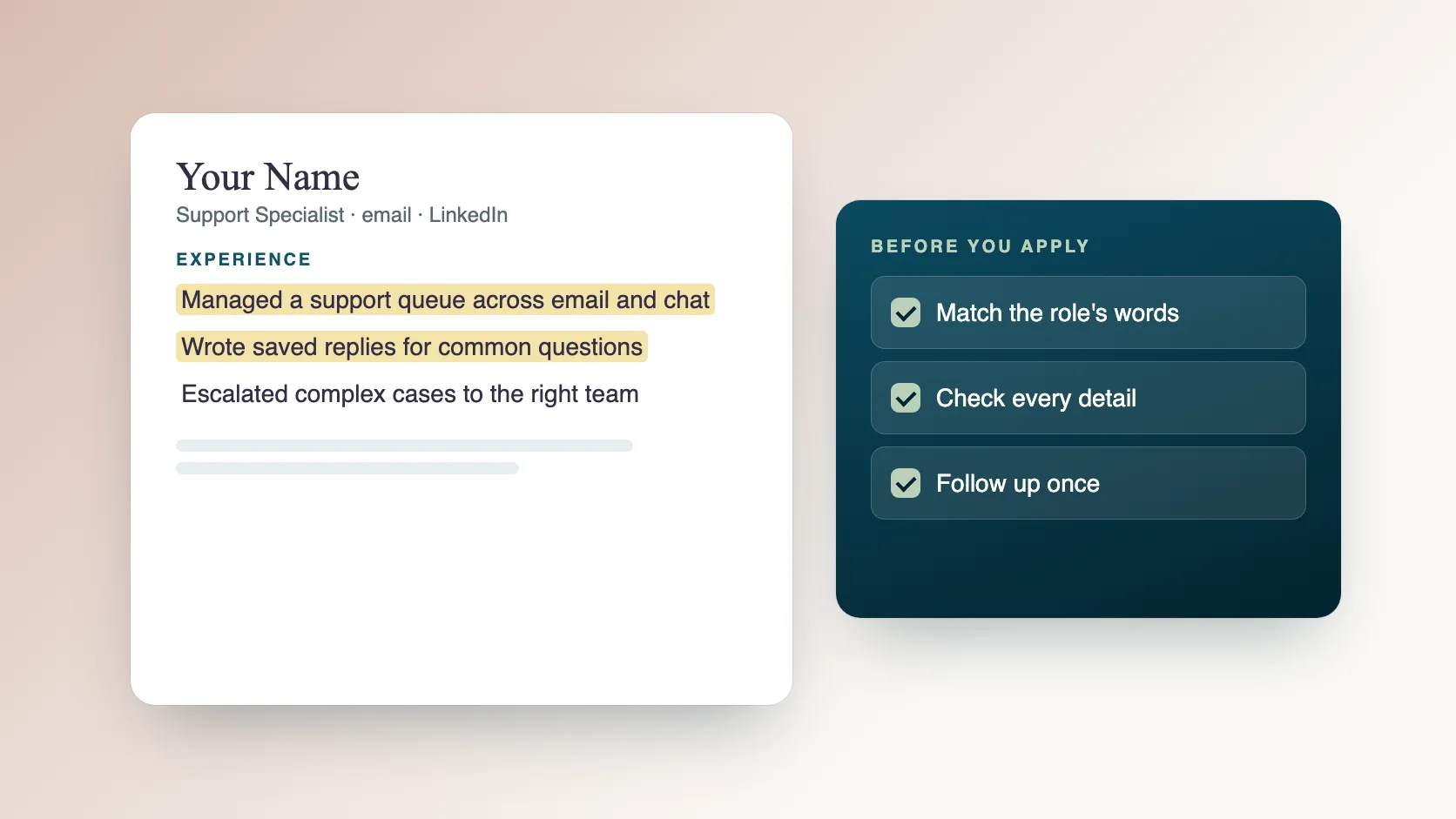
- Copy the job description into a document.
- Highlight skills, tools, titles and qualifications that appear more than once or sit in the requirements section.
- Mark the ones you genuinely have.
- Put them in your Skills section and weave the most important ones into your experience bullets.
- If a term has an abbreviation, include both forms once, for example Customer Relationship Management (CRM).
- Never list a skill you cannot discuss in an interview.
How do you write bullets that get interviews?
A strong bullet says what you did, with what, and what changed. Use this pattern: action, task, tool or method, result.
- Before: Responsible for customer emails. After: Answered 40 to 60 customer emails a day in Zendesk, using saved replies to keep response times short. (Use real numbers from your work.)
- Before: Worked on the website. After: Updated product pages in Shopify weekly, fixing prices and images so listings matched the catalogue.
- Before: Helped the sales team. After: Updated deal records in HubSpot after every call, so the pipeline report matched what reps were telling managers.
- If you cannot give a number, describe the scope: how often, how many, for whom.
What does a good resume structure look like?
Use this order, and keep each part short.
- Header: your name, city, phone, email and LinkedIn link.
- Summary: two or three lines on who you are, your main skills and the role you want.
- Skills: grouped lists of the tools and skills the role needs.
- Experience: for each role, the title, company, dates, then two to five bullets.
- Education: degree, school and year.
- Certifications and projects: only those relevant to the role.
How do you tailor one resume to many jobs?
Keep one strong base resume and spend ten minutes adjusting it for each application.
- Read the posting and list its top five requirements.
- Reorder your Skills so the matching ones come first.
- Rewrite the Summary to mention the role title and two or three matching skills.
- Move the most relevant bullets to the top of each role.
- Save the version with a clear file name, such as Name-Role-Company.
- Record what you sent in a tracker.
What are the best resume tips for IT and technical roles?
Technical resumes are scanned for specific tools, so be specific and honest.
- Group skills by type: languages, frameworks, cloud, databases, tools.
- Name versions or environments where they matter, for example Python 3 or AWS.
- Show what you built or fixed, and the effect: speed, reliability, cost or time saved.
- List projects with a link, when you can share one.
- Avoid a wall of keywords. A skill only counts if a bullet shows where you used it.
What should you check before you submit?
Run through this list every time.
- The job title and key requirements appear in your resume, where true.
- Names, dates, phone number and email are correct.
- Spelling and tense are consistent.
- The file opens, and the name is clear.
- No text boxes, tables or images hold important information.
- You answered every required question on the application form.
- The resume reads well on a phone screen.
What mistakes should you avoid?
These are the most common ones.
- Sending the same resume to every role.
- Copying the job description word for word.
- Claiming skills or titles you do not have.
- Using a creative template with columns, icons and graphics.
- Leaving out dates or using vague job titles.
- Writing duties instead of results.
How does Ragiles career support help with your resume?
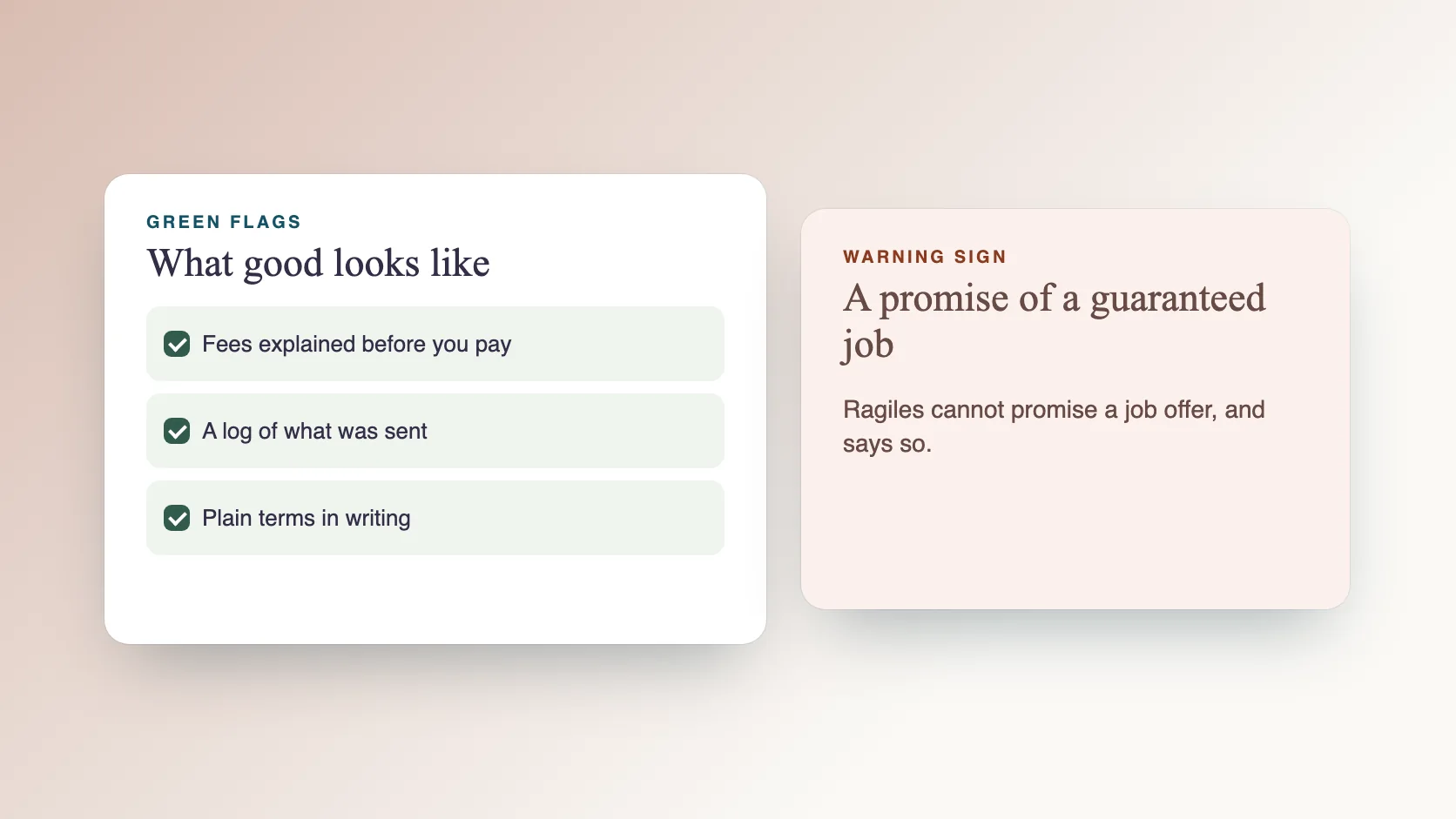
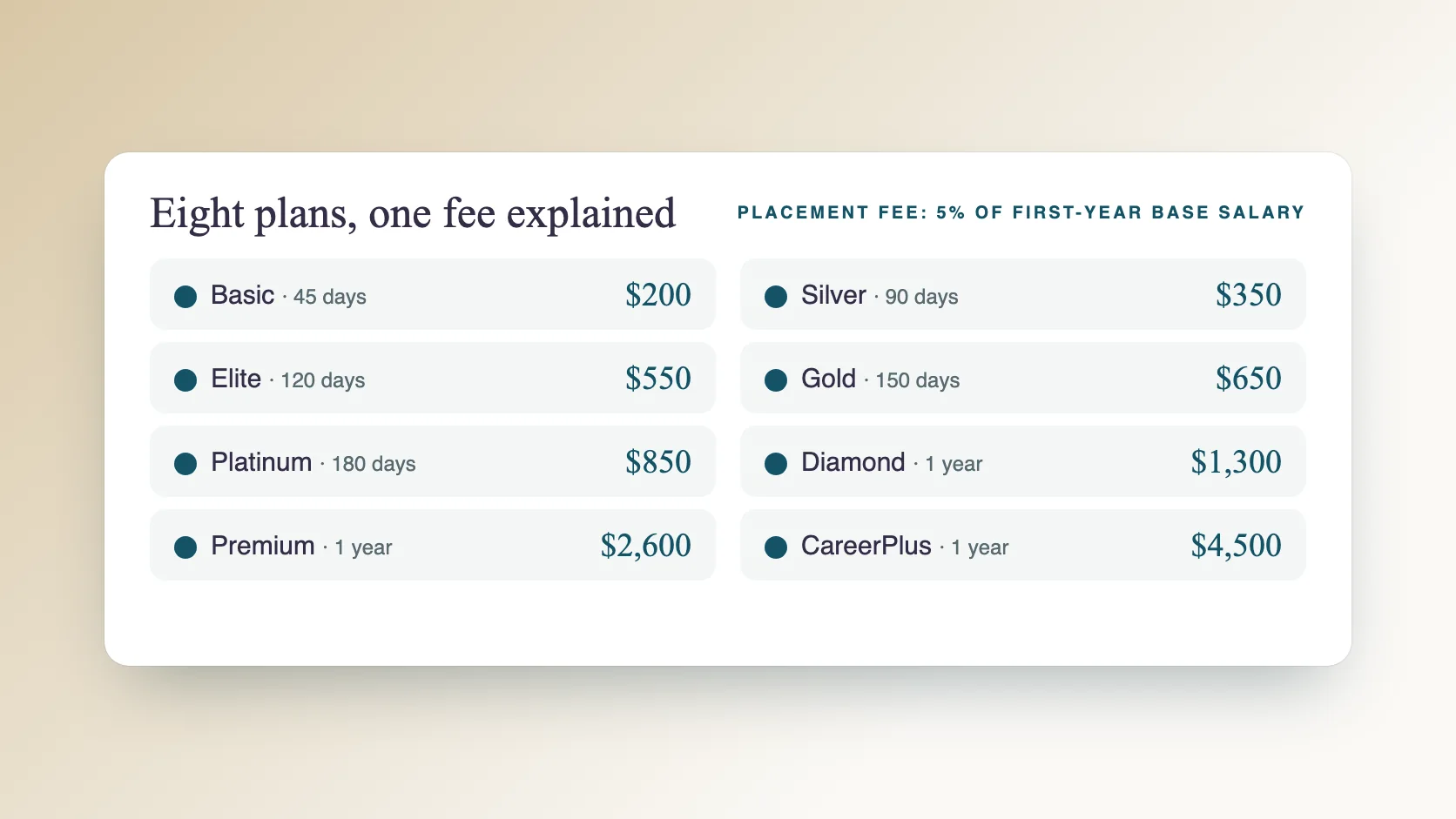
Ragiles career support rebuilds your ATS resume around the keywords in the roles you want and rewrites your LinkedIn headline, summary and skills to match. Our team then sends at least 200 job applications a day on different job platforms, Monday to Saturday, with AI speeding up the work and a person sending each one. We cannot promise a job offer. See the plans and the placement fee on the career support page.
Common questions
Should I use a PDF or a Word file? Follow the posting. If it does not say, a standard Word file or a text-based PDF is usually fine.
How long should a resume be? One or two pages. Put the most relevant experience first.
Do I need a different resume for every job? Keep one base resume and adjust the top section and keywords for each role.
Can I use AI to write my resume? You can use it for drafts, but check every line is true, specific and in your own voice.
Does a resume score of 100 percent guarantee an interview? No. Scores from online checkers are rough guides. Recruiters decide who gets an interview.
Where can I read more? See our guides on resume keywords for IT and technical roles and ATS myths.
Where can I read more? See our guides on resume keywords for IT and technical roles and ATS myths.