The first week with a virtual assistant goes best when the owner prepares a short brief, shares only the access needed, starts with one or two tasks and reviews early work closely. A simple plan covers what to prepare before day one, what to do each day and which questions to answer at the end of the week.
What should you prepare before day one?
An hour of preparation saves days of questions.
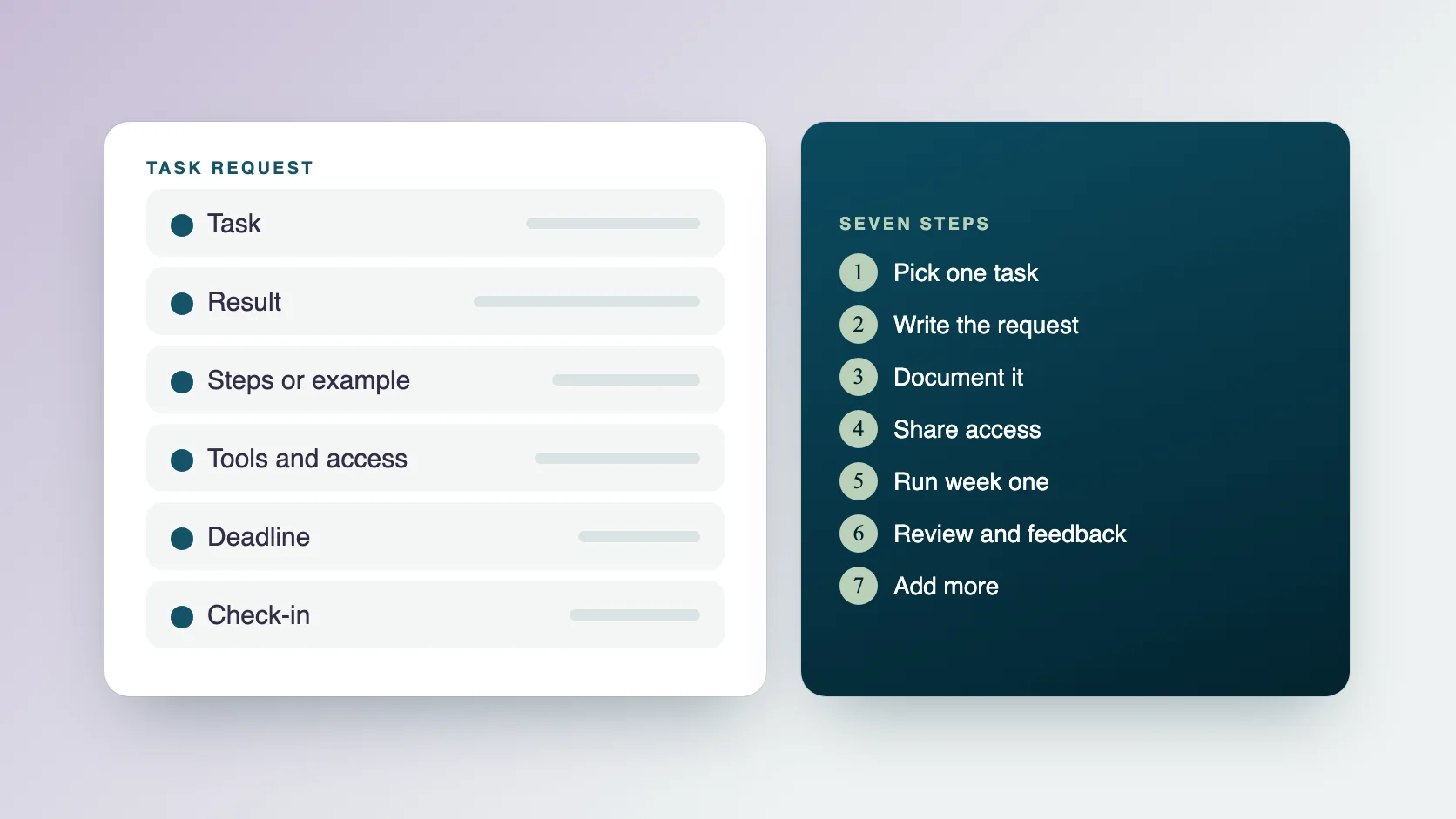
- A list of the one or two tasks to start with.
- A short brief for each: the result you expect, the steps or a screen recording, and an example of good work.
- A list of tools and the accounts your assistant needs, with the minimum access level.
- Your preferences: tone, reply speed and what to ask you first.
- How and when you want updates, for example a daily message on Slack.
- A time for a short kickoff call.
What happens at Ragiles before the first week?
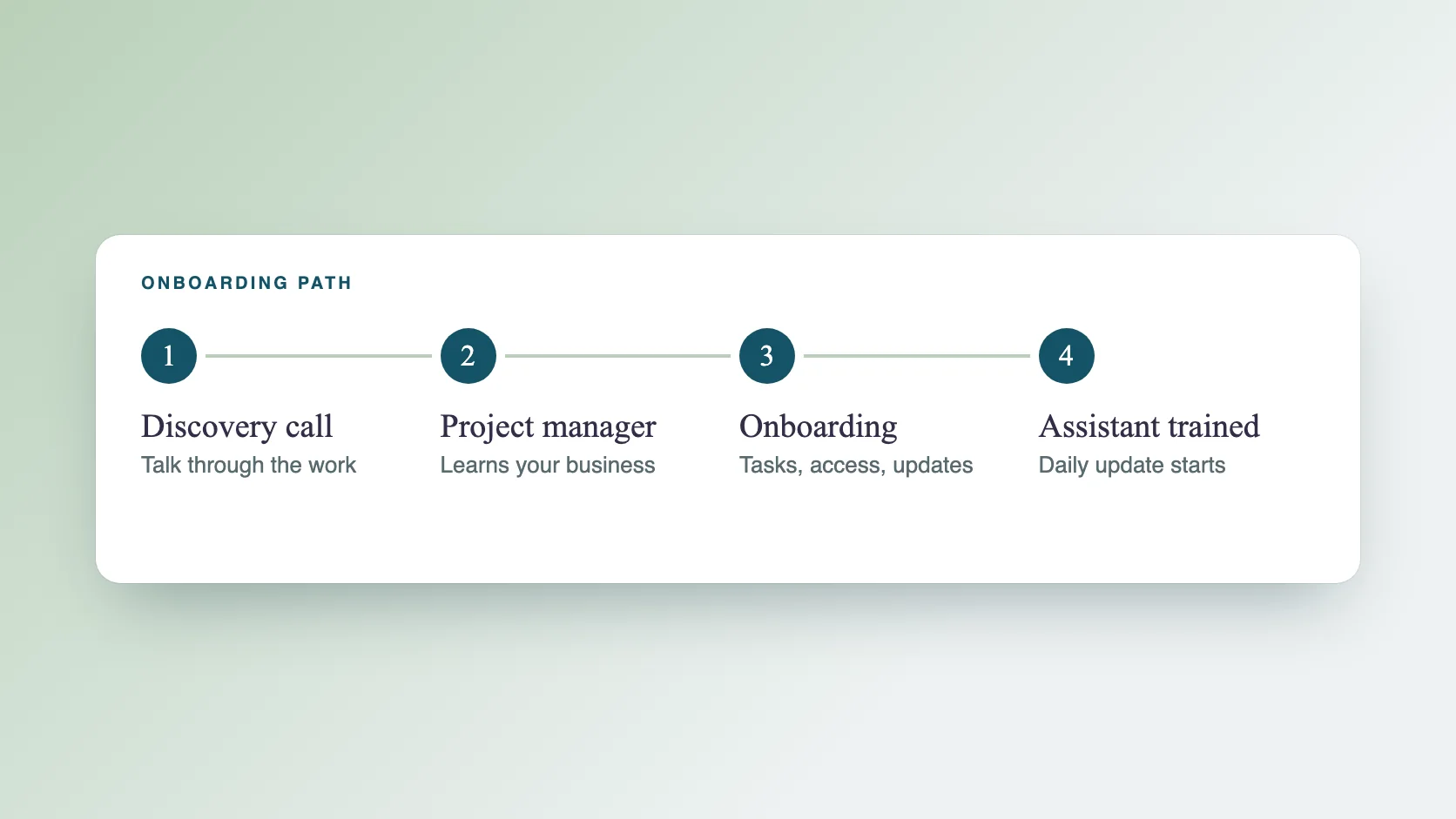
You send a message through the contact form and have a discovery call. A project manager learns your business, then runs a structured onboarding, assigns the right assistant and trains them on your processes. Work can start within 2 days of agreeing the plan, and there is no onboarding fee.
What does a good first week look like, day by day?
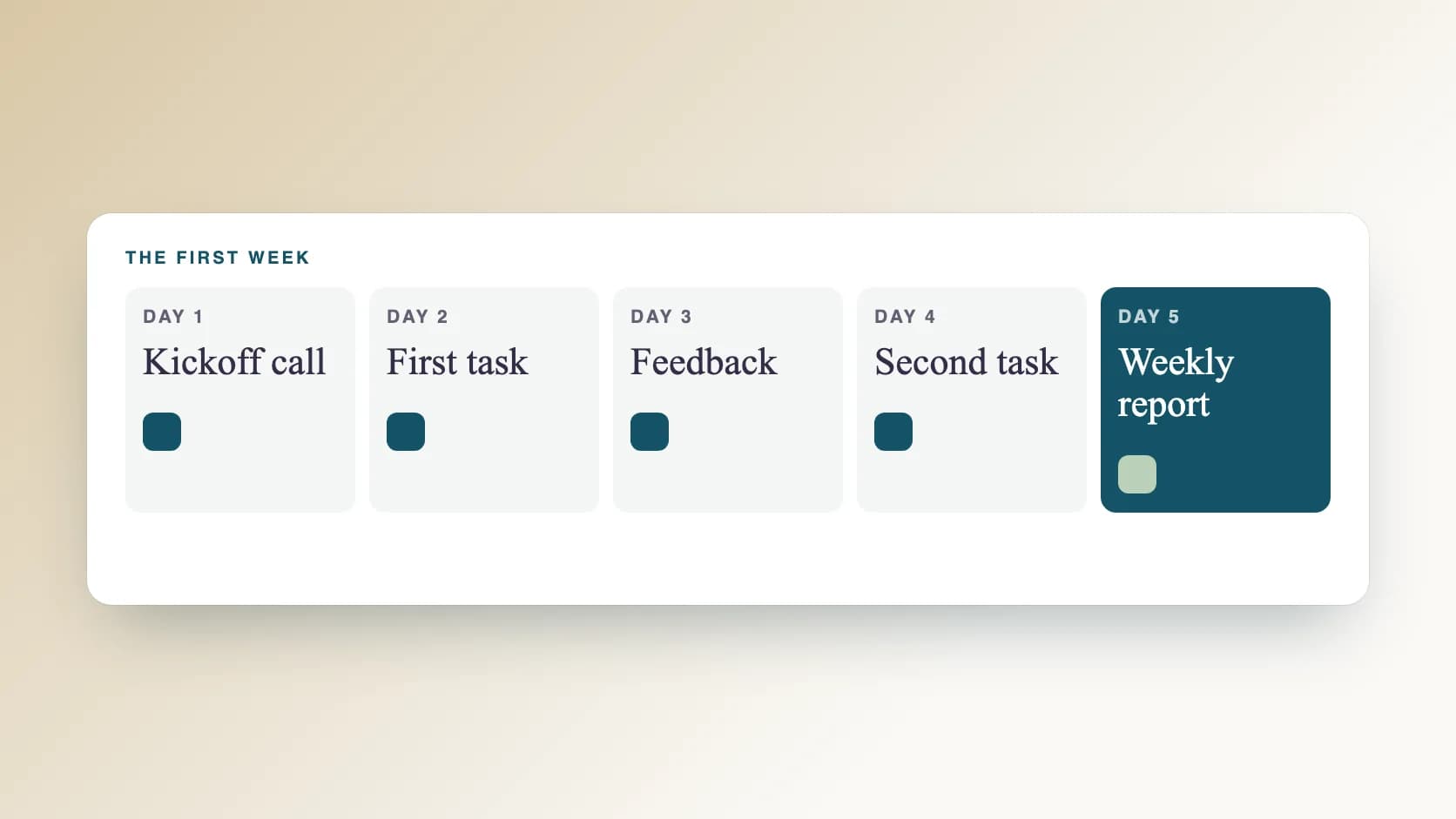
This is a suggested plan, which you can adjust.
- Day 1: a short kickoff call. Walk through the brief, tools and preferences. Confirm how updates will work.
- Day 2: the assistant does the first task while you stay reachable for questions. Review the result the same day.
- Day 3: give specific feedback on what to keep and what to change. Update the brief.
- Day 4: the second task begins, if the first is steady. Keep reviewing closely.
- Day 5: read the weekly report, check what was done and agree on priorities for next week.
What should the kickoff call cover?
Keep it to 20 or 30 minutes.
- The result you want from the first task, and what good looks like.
- The tools involved, and who sets up access.
- What your assistant can decide alone, and what needs your approval.
- How and when updates will arrive.
- How to reach you for urgent questions, and your overlap hours.
- The date of the first review.
How do you review the first results?
Check the result against the description of a good result in your brief. Note what is right, what is off and why. If the same issue appears twice, the instruction probably needs work, so update it. Close reviews in week one make light reviews possible later.
What updates should you expect?
At Ragiles, your project manager sends a daily update on Slack or the tool you already use, and is available for a meeting at any time you need one. A weekly report, on Saturday or Monday, covers the full week and the plan for the next one. If an update is missing or unclear, ask for it in the first week.
What are the signs it is going well?
Look for these.
- Questions are specific, and they get fewer.
- Results match the brief with small corrections.
- Updates arrive on time and say what was done and what is next.
- You spend less time checking each day.
- You have a list of the next tasks to hand over.
What are the warning signs?
Raise these early.
- Results that miss the brief more than once.
- Updates that are late or vague.
- Questions that show the instructions were not understood.
- Work that needs rewriting rather than small edits.
What if the assistant is not the right fit?
Say so in week one, with examples. If your Ragiles assistant cannot take on a task, we replace them with a more expert assistant for the responsibility you give. Fit is easier to fix early.
Which questions should you answer at the end of the week?
Use the weekly report to decide.
- Did the assistant complete the first tasks to the standard in the brief?
- What took longer than expected, and why?
- Which instructions need to change?
- Which task should come next?
- Is the plan, hourly or monthly, the right size?
What mistakes should you avoid in week one?
Most are about the brief and the pace.
- Giving too many tasks at once.
- Being unreachable on day two.
- Sharing more access than the task needs.
- Not saying what a good result is.
- Skipping the review, then finding problems later.
Common questions
How many hours should the first week have? Enough to complete the first one or two tasks well. Plan size depends on your workload. See what a virtual assistant costs.
Should I be online while my assistant works? Agree on overlap hours and a daily update. Be reachable for questions in the first days.
Can I change the tasks after the first week? Yes. Many people add a task once the first is steady.
What if I need more help than expected? You can change plans, because support is month-to-month.
Where can I read more? See our guides on how to delegate to a virtual assistant and what a virtual assistant costs.
Where can I read more? See our guides on how to delegate to a virtual assistant and what a virtual assistant costs.